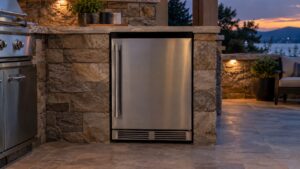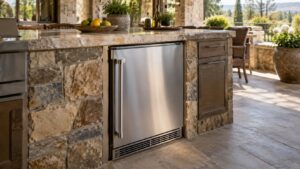
What CH means (dcs ch error)
A dcs ch error indicates the cabinet (fresh-food) section of a DCS outdoor refrigerator is reading warmer than its target band. The ActiveSmart control shows “CH” when the fridge cannot hold temperature — commonly from blocked airflow, a tired evaporator fan, a poor door seal, or a sensor reading high.
Symptoms to look for
The signs below help confirm you are dealing with this condition rather than a different problem on your DCS Outdoor Refrigerator. You may see one of them or several together, and they can build up gradually or appear suddenly after a spill, a power event, or recent service.
- The display shows “CH”
- Contents feel warmer than expected; drinks no longer chill quickly
- Condensation or warm interior walls
- The unit runs constantly yet never reaches temperature
Common causes
Several different problems can produce these symptoms. Working through the most likely causes in order helps separate a quick, owner-level fix from a problem that needs trained service and the correct DCS parts.
- Restricted condenser airflow — dust or enclosure heat starves the outdoor-rated condenser
- Evaporator fan failure — cold air is not circulated into the cabinet
- Door seal leak — warm outdoor air infiltrates a worn gasket
- Cabinet sensor reading high — the thermistor over-reports temperature
Troubleshooting steps you can try
Work through these checks in order with the appliance cool and powered down before touching any internal part. Stop wherever you are unsure, or where gas, high heat, or live electrical parts are involved, and hand the rest to a qualified technician.
- Confirm the door closes fully and the gasket is clean and intact.
- Clear any obstruction around the ventilation grille so the condenser can breathe.
- Reduce door openings and give the unit several hours to recover after a hot day.
- If “CH” stays with good airflow and a sealed door, book service before stored food spoils.
Parts a technician may replace
Depending on what the diagnosis shows, a technician may inspect, test, or replace the cabinet sensor, evaporator fan, condenser/airflow, door seal, and control board. The correct part for your DCS Outdoor Refrigerator is matched from the model and serial number, and genuine DCS components are fitted rather than generic substitutes so that performance, safety, and the appliance’s long working life are all protected. Confirming the failed part before ordering avoids replacing more than the problem actually requires.
When to call a technician
A CH that will not clear typically needs a technician to test the evaporator fan, sensor, sealed system, and door alignment. When the fix calls for trained service, book a visit through our scheduling page and our certified technicians will diagnose and repair it. For factory documentation and model lookup, see the manufacturer at dcsappliances.com.
Prevention and care
Regular care keeps this condition from returning on your DCS Outdoor Refrigerator. Clean spills and grease before they bake on, keep ports, filters, and vents clear, and follow the DCS maintenance schedule for your model. Because this unit uses ActiveSmart electronics, protect it with a stable, correctly rated electrical supply and have any installation or wiring done to DCS specification so the control never sees an out-of-range condition. If a code or alarm appears, note exactly what was displayed before you reset the unit — that record helps the technician reach an accurate diagnosis and avoid replacing parts unnecessarily. Where gas or high heat is involved, treat any unusual smell, sound, or heat as a reason to stop and have the appliance checked rather than worked around.
Related help and DCS resources
Browse other DCS Outdoor Refrigerator diagnostics, read about professional DCS Outdoor Refrigerator repair, look up your unit on the DCS models reference, or review the opposite CL too-cold code, or schedule a service visit.